Saved items
Saving and reusing searches
Store search criteria so you can run a similar search again (membership required).
Membership required
Saved searches are a paid feature, along with watchlist and Excel export. Public property search remains free.
Saved searches are a paid feature, along with watchlist and Excel export. Public property search remains free.
Save your criteria
Sign in and use the saved-search feature to store the search criteria you want to reuse.
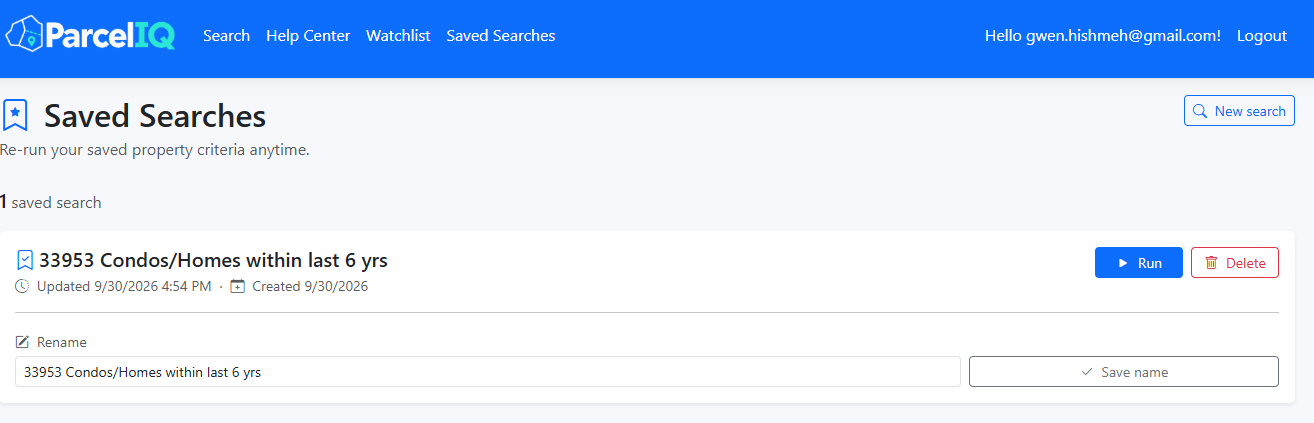
Sign in and use the saved-search feature to store the search criteria you want to reuse.
Run a search again
Open Saved Searches from the navigation and select the search you want to run. Results can change as the underlying dataset changes.
Open Saved Searches from the navigation and select the search you want to run. Results can change as the underlying dataset changes.
Manage saved searches
Remove searches you no longer need. A saved search stores criteria; a watchlist stores individual properties.
Remove searches you no longer need. A saved search stores criteria; a watchlist stores individual properties.